
Filtering and Managing Unread Messages in Your Inbox
Rakesh · August 5, 2026 · 3 min read
Inbox tracks read/unread automatically — opening a conversation marks it read, and there's no manual "mark as unread" to undo that. The three status filters (All, Unread, Replied) and the channel filter all combine together, and search narrows further by candidate name on top of whichever filters are active.
How unread status works
A conversation shows as unread as soon as the candidate sends a message you haven't opened yet. Opening it marks every unread message in that conversation read at once — you don't mark individual messages read one at a time. If the candidate sends another message afterward, the conversation goes back to unread until you open it again.
There's currently no way to manually mark a conversation unread again once you've opened it, and no separate unread counter shown outside the Inbox page itself.
Using the status filter
The All / Unread / Replied toggle at the top of the conversation list is easy to misread — "Replied" means the candidate has replied to you, not that you've replied to them. A conversation stays under "Replied" even after you answer them; it's tracking whether they've ever sent you a message, not the current back-and-forth state.
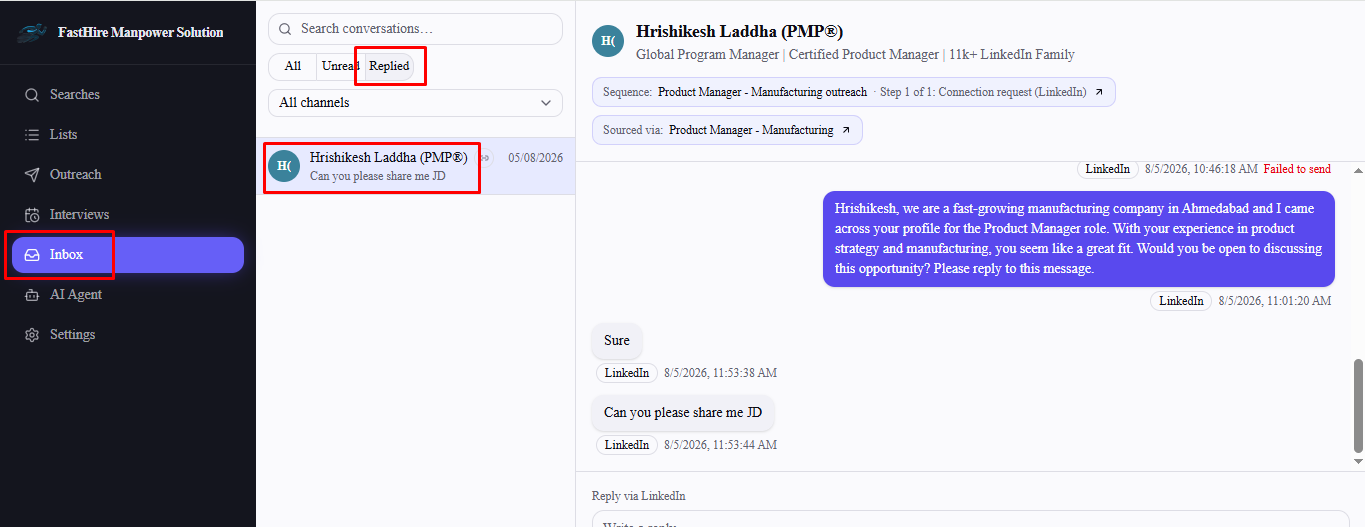
Use Unread as your triage view — it's the fastest way to see exactly who's waiting on you right now, regardless of channel.
Combining filters
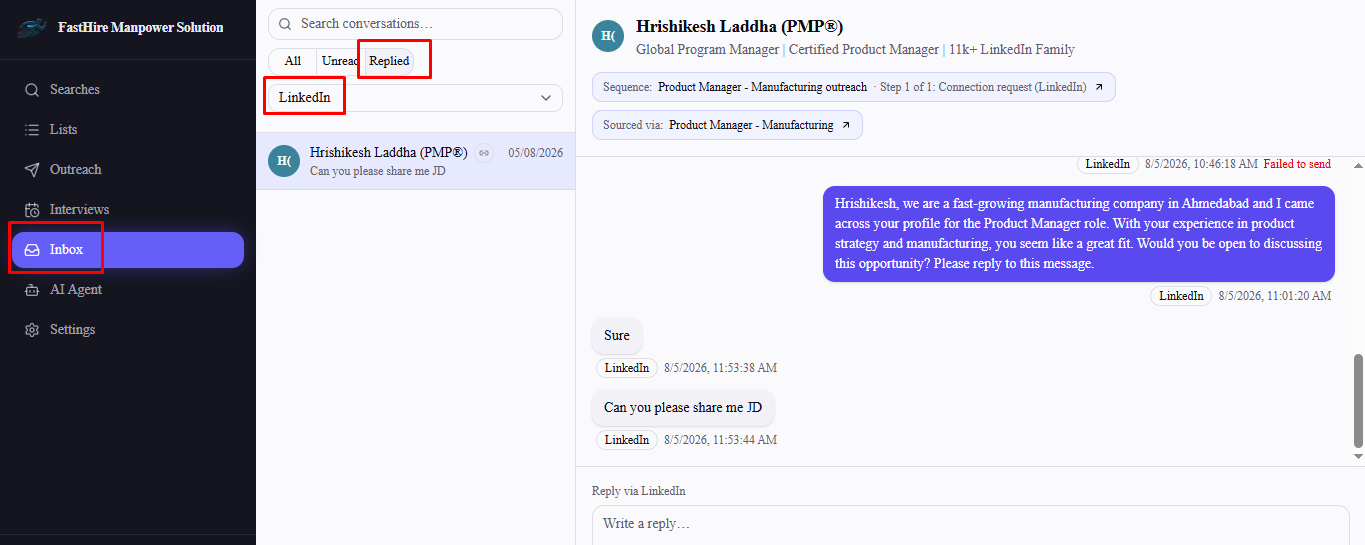
Status filter, channel filter, and the search box all apply together, not separately — for example, selecting Unread plus the LinkedIn channel filter shows only unread LinkedIn conversations, and typing a name on top of that narrows it further. Clear a filter back to "All" (or clear the search box) to widen the view again.
Frequently asked questions
Can I mark a conversation as unread again after opening it?
No — read status only moves in one direction until the candidate sends a new message.
Does "Replied" mean the candidate replied, or that I did?
It means the candidate has replied to you at some point in the conversation — it doesn't track whether you've since responded.
Is there an unread badge anywhere outside the Inbox page?
Not currently — check Inbox directly to see what's unread.
Does the channel filter hide conversations that use multiple channels?
No — a conversation matches a channel filter if that channel was used anywhere in it, even if the most recent message came through a different one.