
What Is Autopilot Mode and How Do I Enable It?
Rakesh · August 5, 2026 · 4 min read
Autopilot turns a single prompt or pasted job description into real candidate outreach with no manual steps in between — FastHire extracts criteria, calibrates itself, sources and scores candidates, builds a list, and activates a sequence that sends real messages, entirely on its own.
Read this before enabling it: autopilot sends real outreach automatically. You don't review candidates, criteria, or message content before anything goes out. If you want a human checkpoint anywhere in the process, use the regular search-and-agent flow instead of autopilot.
Step 1: Set your defaults
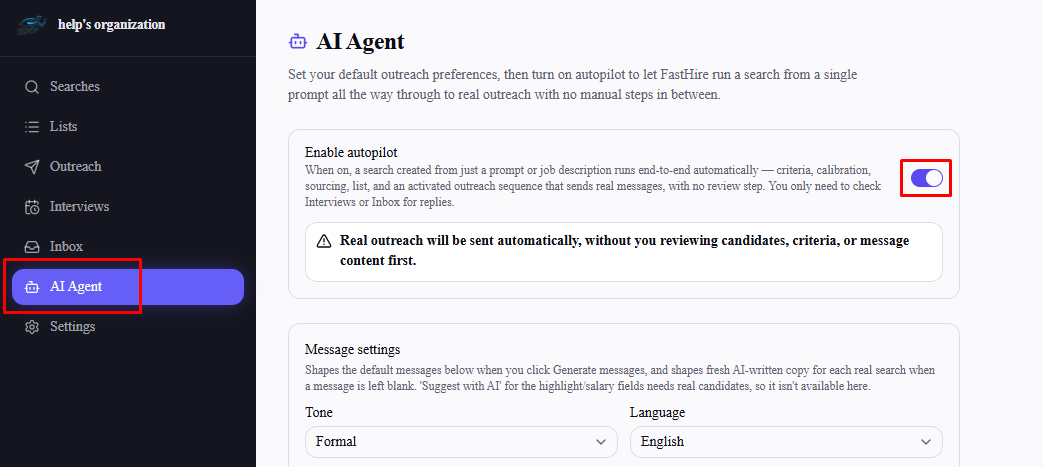
Go to AI Agent in the sidebar. Before you can turn autopilot on, configure what it should do by default:
Outreach steps — tick which channels and steps (e.g. LinkedIn connection request, LinkedIn message, email) autopilot should include in every sequence it activates.
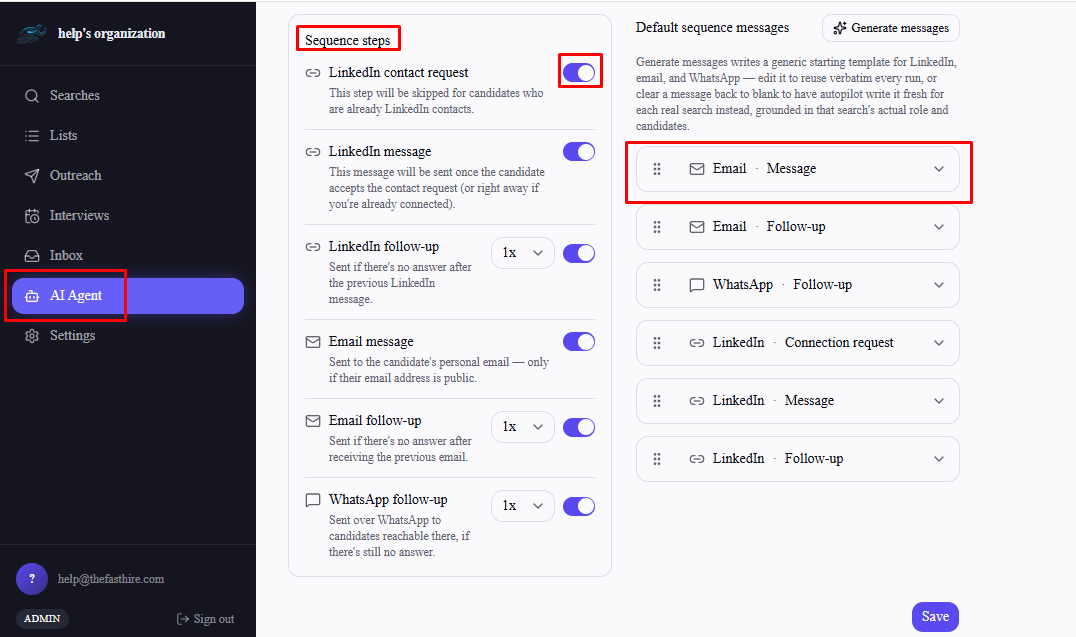
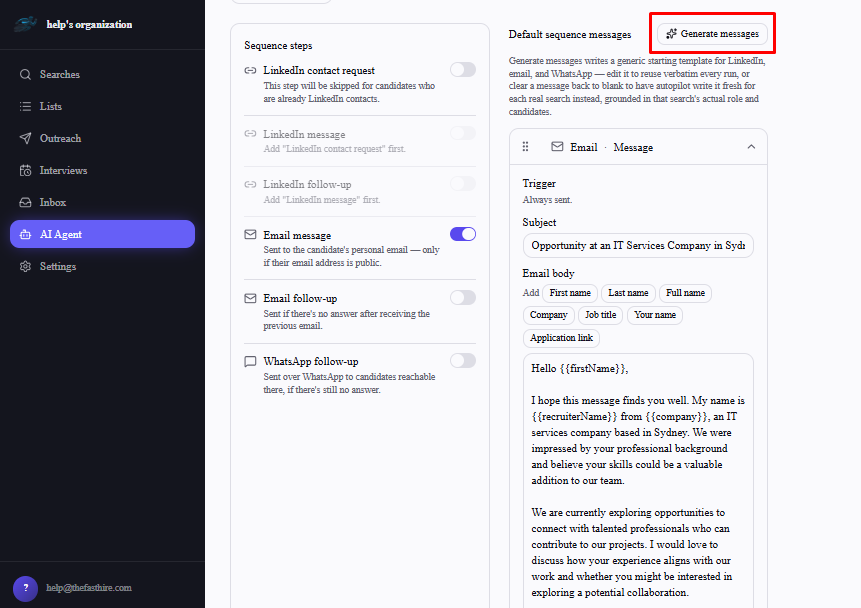
Default sequence messages — select Generate messages for a generic starting template per step, which you can edit to reuse verbatim on every run. Clear a message back to blank instead if you'd rather autopilot write fresh copy for each real search, grounded in that search's actual role and candidates.
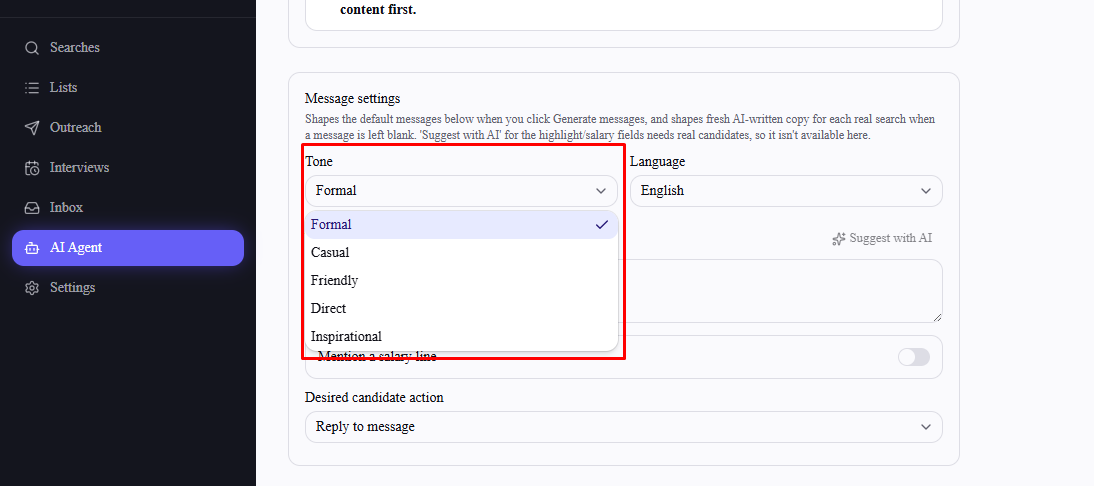
Message settings — tone, language, and other defaults that shape both the generated templates and any freshly AI-written messages.
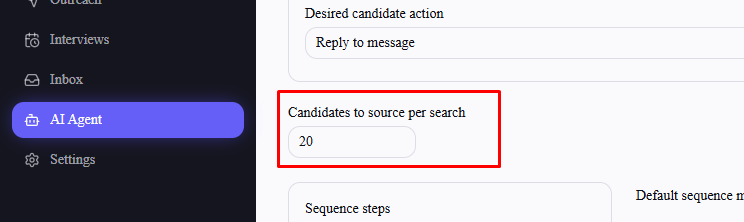
Candidates to source per search — a 1–50 cap applied to every autopilot run.
Step 2: Turn it on
Switch on Enable autopilot at the top of the page. You need at least one outreach step ticked first — the toggle won't save otherwise. A warning appears confirming real outreach will be sent automatically once it's on. Select Save.
Step 3: Run a search
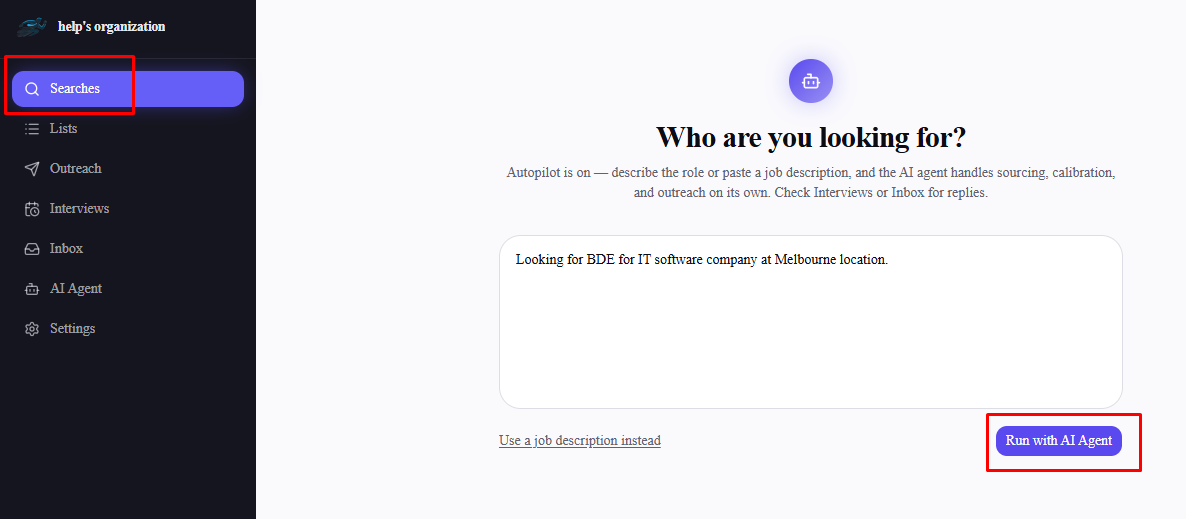
With autopilot on, go to Searches → New search — you'll see a simplified entry screen instead of the usual multi-step wizard. Describe the role in your own words or paste a job description, then select Run with AI Agent.
What happens next, automatically
Your text is turned into structured search criteria and saved as a new search
FastHire proposes mandatory and desirable criteria from it
The AI calibrates itself against three sample candidates, standing in for the manual yes/no review you'd normally do
An agent run sources and scores real candidates from LinkedIn against your criteria and candidate cap
A list is created from the top-scoring candidates
An outreach sequence is generated from your saved default steps and messages, and activated — sending real messages
You're redirected straight to the search's results page once the run starts. From there, the only things left to check are the search's results as they fill in, and Interviews or Inbox for replies once messages start going out.
Turning it off
Go back to AI Agent and switch Enable autopilot off, then Save. New searches immediately go back to the regular step-by-step wizard — nothing about searches or sequences already created by autopilot changes.
Frequently asked questions
Can I review anything before autopilot sends messages?
No — that's the defining tradeoff of autopilot. Criteria, calibration, candidate selection, and message content are all handled without a review step. Use the standard search and agent flow if you want to check any of these first.
Does autopilot respect trial limits?
Yes — it's still subject to the same search and agent-run caps as the manual flow, and will stop you the same way if you're at your trial limit.
Can I still create searches manually while autopilot is enabled?
No — while autopilot is on, "New search" always uses the simplified autopilot entry screen. Turn autopilot off to get the regular wizard back.
What if autopilot's self-calibration or criteria proposal fails?
Sourcing still proceeds using your search's criteria alone — a failed calibration step just means the run has less signal to work with, it doesn't block the run.
Does changing my default settings affect runs already in progress?
No — each autopilot run uses the settings saved at the moment you submitted the prompt. Update your defaults on the AI Agent page for future runs only.