
How to Contact FastHire Support
Rakesh · August 5, 2026 · 2 min read
FastHire has one support contact channel: email, reachable from a "Need help" button that's available on every page of the app.
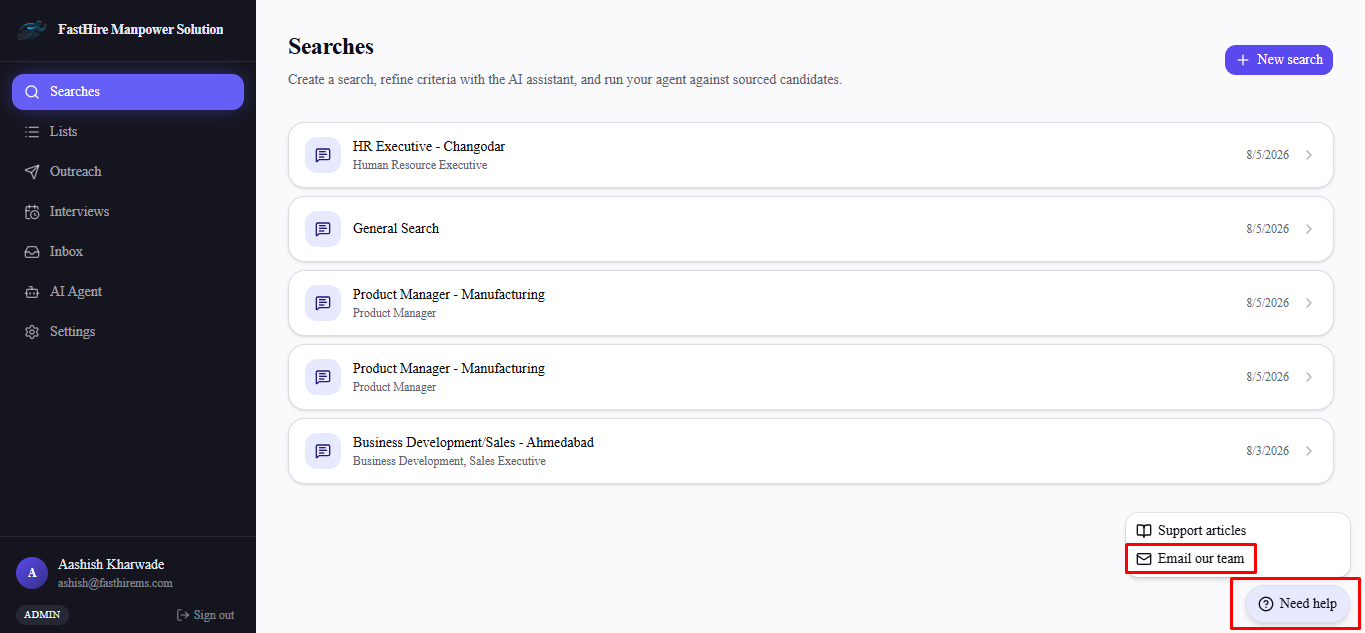
Step 1: Open the Need help menu
Look for the Need help button in the left sidebar, just above your profile card at the bottom — it's available on every page of the app regardless of which section you're in.
Step 2: Choose Email our team
Select Email our team to open your email client with a message addressed to support@thefasthire.com. The same menu also has a Support articles option, linking to the in-app FAQ, if you'd rather check there first.
Getting a faster response
Include what you were doing when the issue happened, the exact error message if one appeared, and which page or feature was involved — the more specific, the less back-and-forth needed to diagnose it.
Frequently asked questions
Is there live chat or phone support?
No — email is the only support channel today.
What's the support email address?
support@thefasthire.com — reachable directly, or via the Need help button on any page.
Do I need to be an Org Admin to contact support?
No — anyone on your team can reach out, regardless of role.
Where exactly is the Need help button?
In the left sidebar, directly above your profile card — the same spot on every page.